
We are excited to announce a new feature that gives you greater control over the content shared on your company blog.
Introducing: Post and Comment Approval by Reviewers
With this new feature, the blog can now be configured to require that all posts and comments be reviewed and approved by reviewers before being published. This enhancement ensures that only appropriate, relevant, and high-quality content is shared with your team, fostering a more productive and professional internal communication environment.
Why this matters
-
Enhanced Content Quality: By allowing reviewers to review posts and comments, you can ensure that the information shared is accurate, valuable, and aligned with your company’s standards.
-
Improved Moderation: This feature helps maintain a respectful and professional tone in all internal communications, reducing the risk of inappropriate or harmful content being posted.
-
Increased Security: Protect sensitive information by controlling what gets published on your internal blog. This feature adds an extra layer of security to your internal communications.
Enable content approval
This feature needs to be enabled by the blog administrators from the Advanced tab of the Settings page.

Who can approve content
Once approval is enabled, the new Reviewer role becomes available in user role settings. Users assigned this role have the same access level as Writers but can also approve posts and comments awaiting review.
By default, all Administrators can also approve content awaiting review.
In the context of this article, the term "Reviewers" refers to both Reviewers and Administrators.
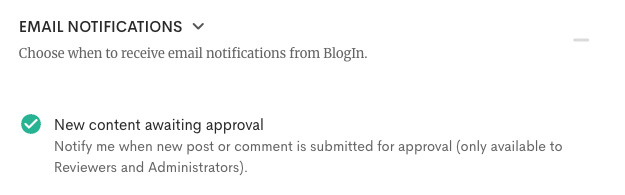
By default, Reviewers receive in-app and email notifications about new content submitted for review. These email notifications can be disabled from the Email notifications section on the Profile page.
How it works
-
Submit for Approval: When users (writers) create a post or comment, they can submit it for approval.
-
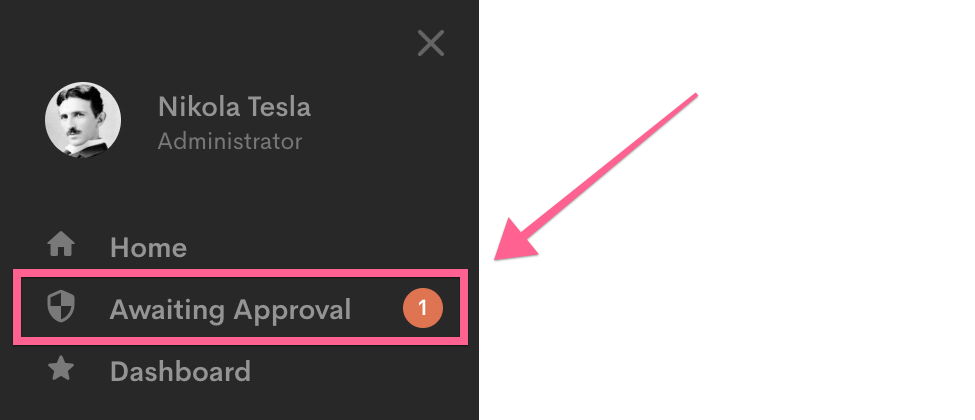
Review: Reviewers will receive a notification to review the submission. They can approve, reject, or request edits to the content.
-
Publish or Return: Once approved, the content is published on the blog. If rejected, the user can make necessary edits and resubmit for approval.
We believe this feature will greatly enhance the quality and security of your internal communications.