
Please note that you must be either Writer or Administrator to be able to add a new post.
Step 1 – Log in to your BlogIn account
Step 2 – Choose Add New Post from the sidebar.

Step 3 – Enter your post title.
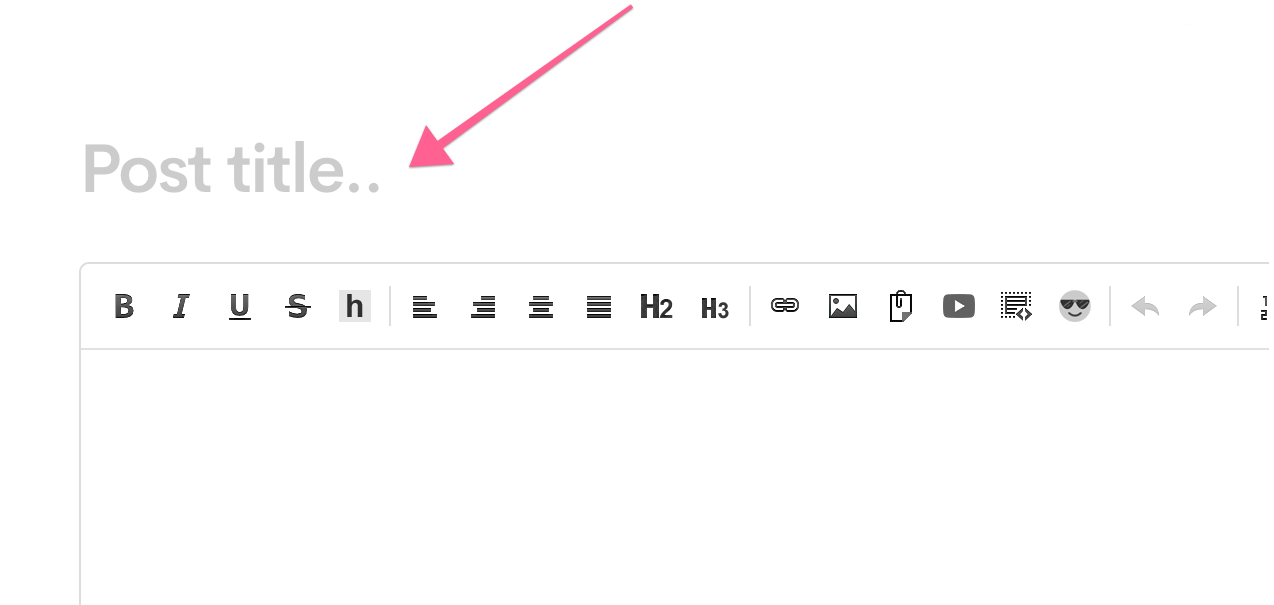
Step 4 – Enter your post body content.

Step 5 – Optionally, add Tags and choose Categories for this post.

Step 6 – Choose who should be notified when this post is published: All users, only particular team(s), or nobody.

Step 7 – Optionally, use one or more Post options:
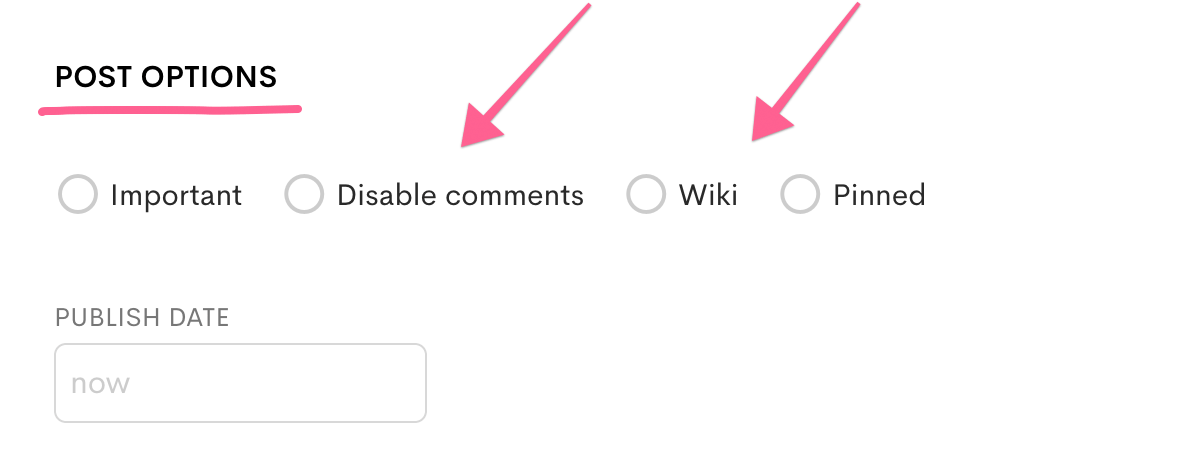
- Mark the post as a Wiki to allow all writers (users who can create posts) to collaborate and edit the post
- Pin the post to the top to always make it displayed at the top of the homepage
- Schedule the post publishing for a later date
- Mark the post as important to make it stand out among other posts
Step 8 – When you are ready, click Publish.

You can also click Save draft to save changes to this post, but do not publish it this time. This will also unpublish a post if it was published before.